Designing Discovery: Helping Teachers Find the Right AI Tools
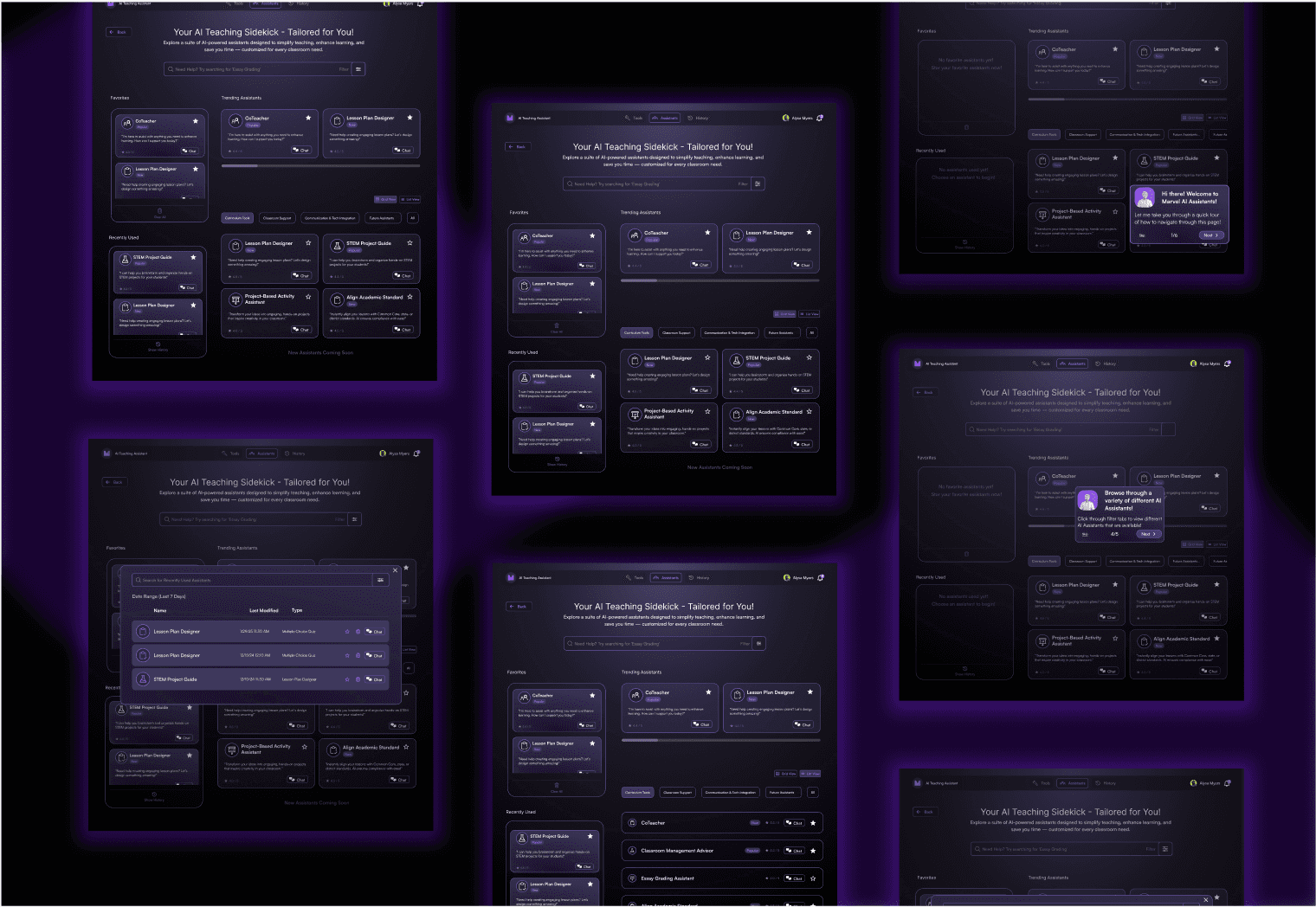
PROBLEM: At Reality AI Lab, the current discovery process makes the search for suitable AI tools inefficient, with challenges like decentralized access, unintuitive categorization, and impersonal recommendations.
SOLUTION: Revamped the Educator Assistants Discovery page to enhance usability, personalization, and efficiency.
To streamline the selection process, key updates include:
easy-to-navigate layout
tailored recommendations
advanced search feature
My Role
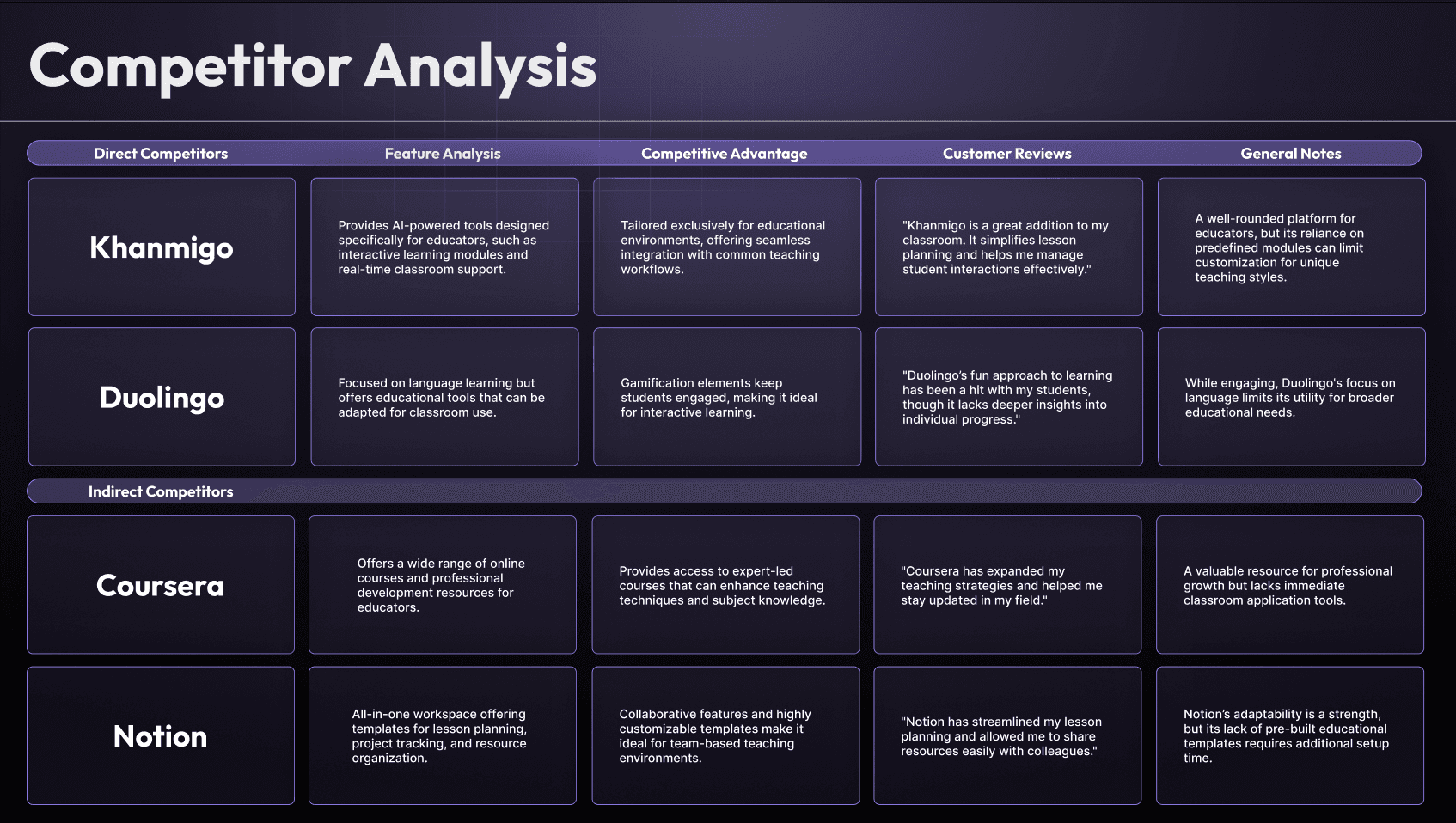
Competitive Analysis
User Research
Ideation
Wireframing
Prototyping
Preview of Results
3
Stakeholder Approval Sessions
50%
Fewer Total Navigation Steps
15+
Resuable Components Added to Design System
User Research
Who are the Users?
Using internal demographic data of who the current users of RAL's tools were, I was able to create a user persona that represents the target audience — educators and school administrators of all ages across U.S. school districts.
Name
Janine Lopez
Age
57
Chula Vista, CA, USA

Needs
Pain points
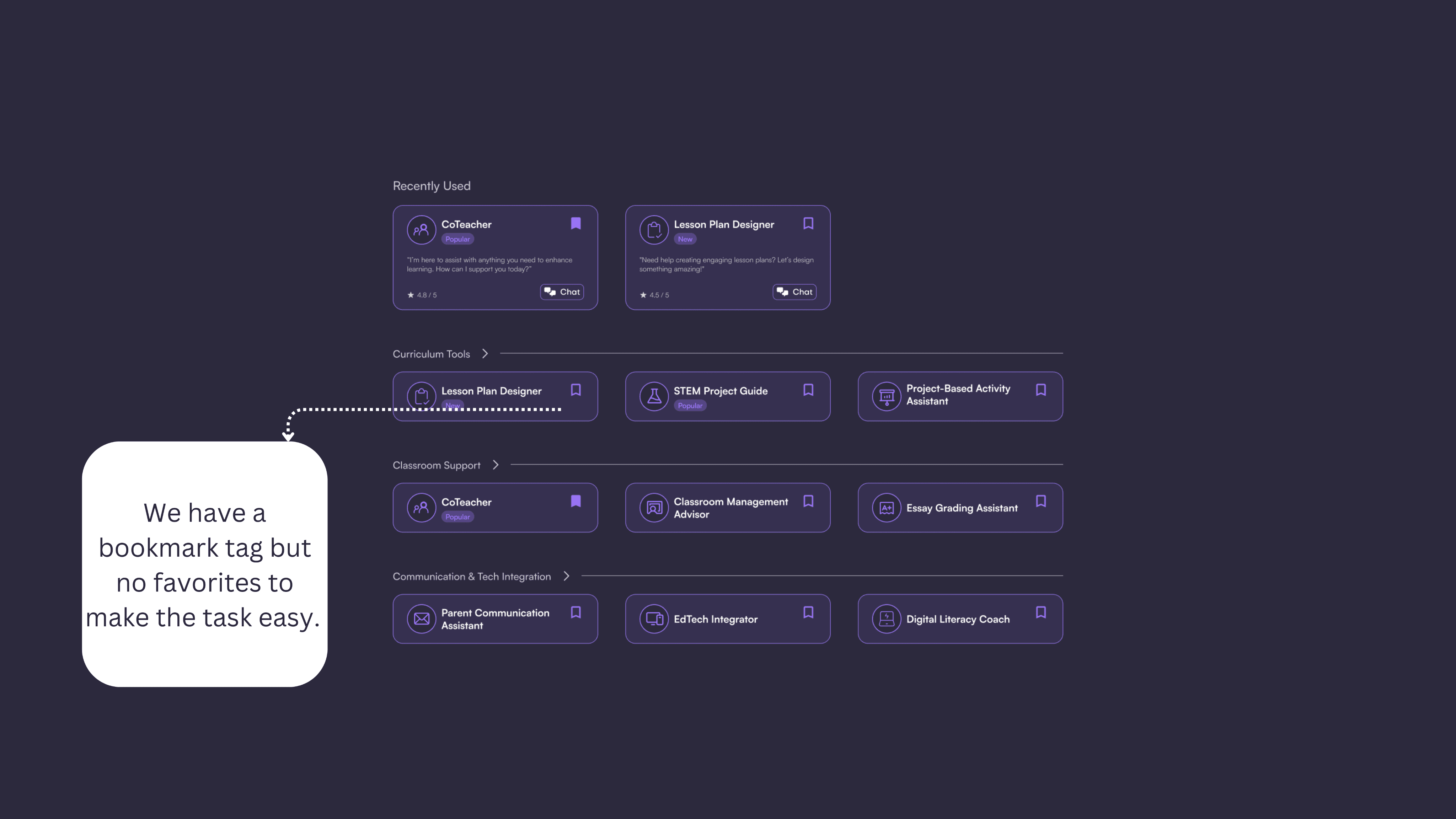
The Previous Interface
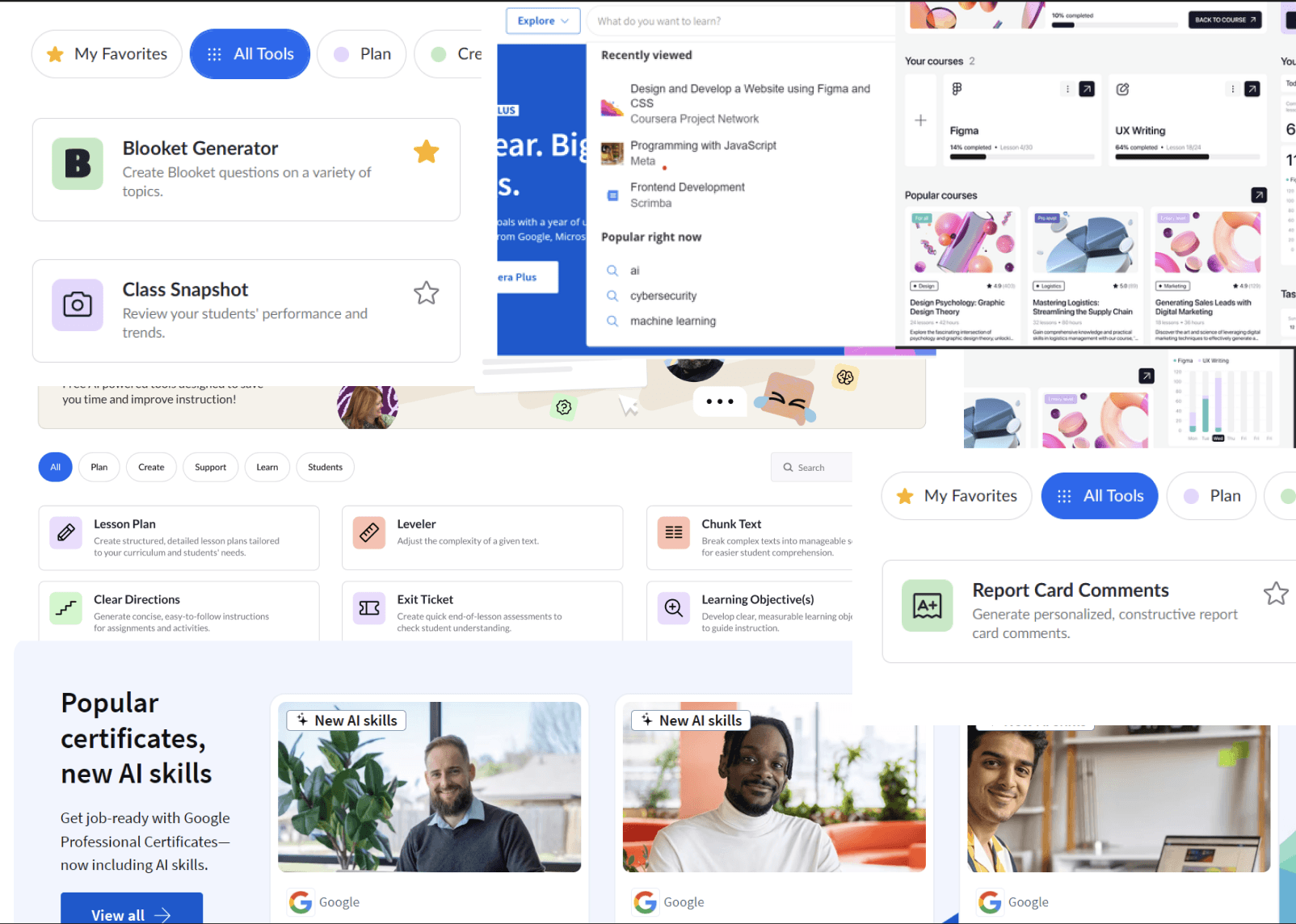
Screenshots of features from competitors
Key insights from Competitive Analysis:
Advanced search functionalities with filters for swift and seamless content exploration.
Categorized navigation, with clear filters to differentiate sections.
Range of customization features, such as favoriting options, while considering additional organizational functionalities.
Intentional Organization by Relevance
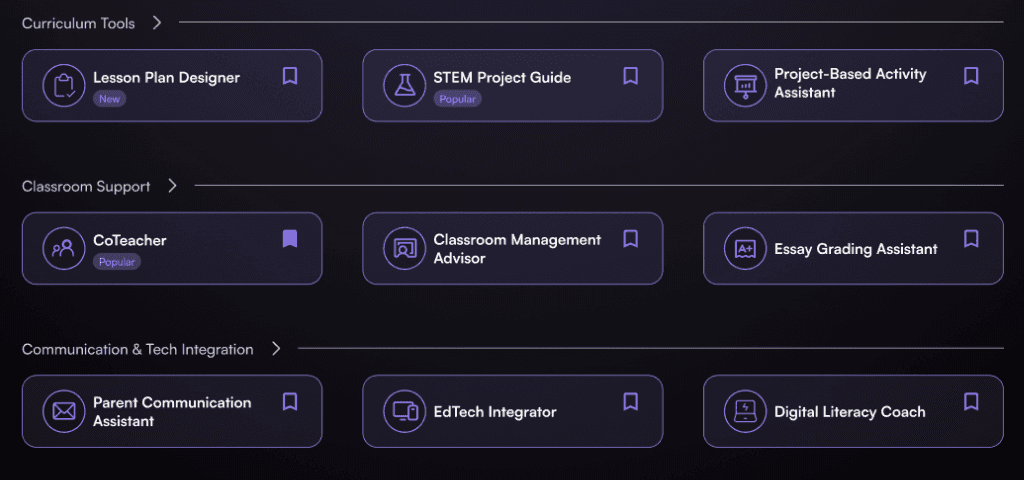
Organize assistants by category and relevance, enabling educators to quickly locate tools that align with their specific requirements.
Personal and personalized
Allow the user to navigate to their most used assistants without having to search extensively for it.
Design for all stages of the user experience.
Allow any user — whether a new user or an experienced user — to be comfortable interacting with the interface.
Highlight new features
Highlight recently added or cutting-edge tools to inspire educators and elevate their teaching methods
Ideation
Mapping Out The Steps
The team and I created 6 user flows that were critical to the program. I was responsible for designing the Favorites user flow. I made sure to break apart the most important steps that the user would need to take to bookmark a “Favorite Assistant.”
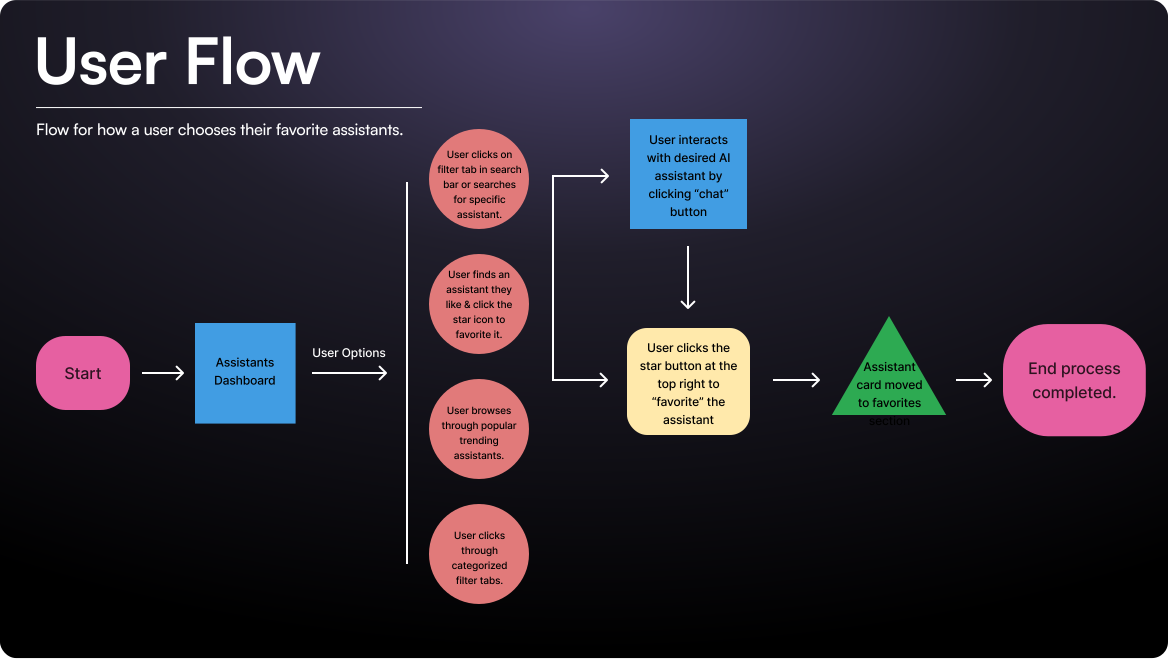
The team documented each flow on Miro to ensure that the user flows were consistent with one another.
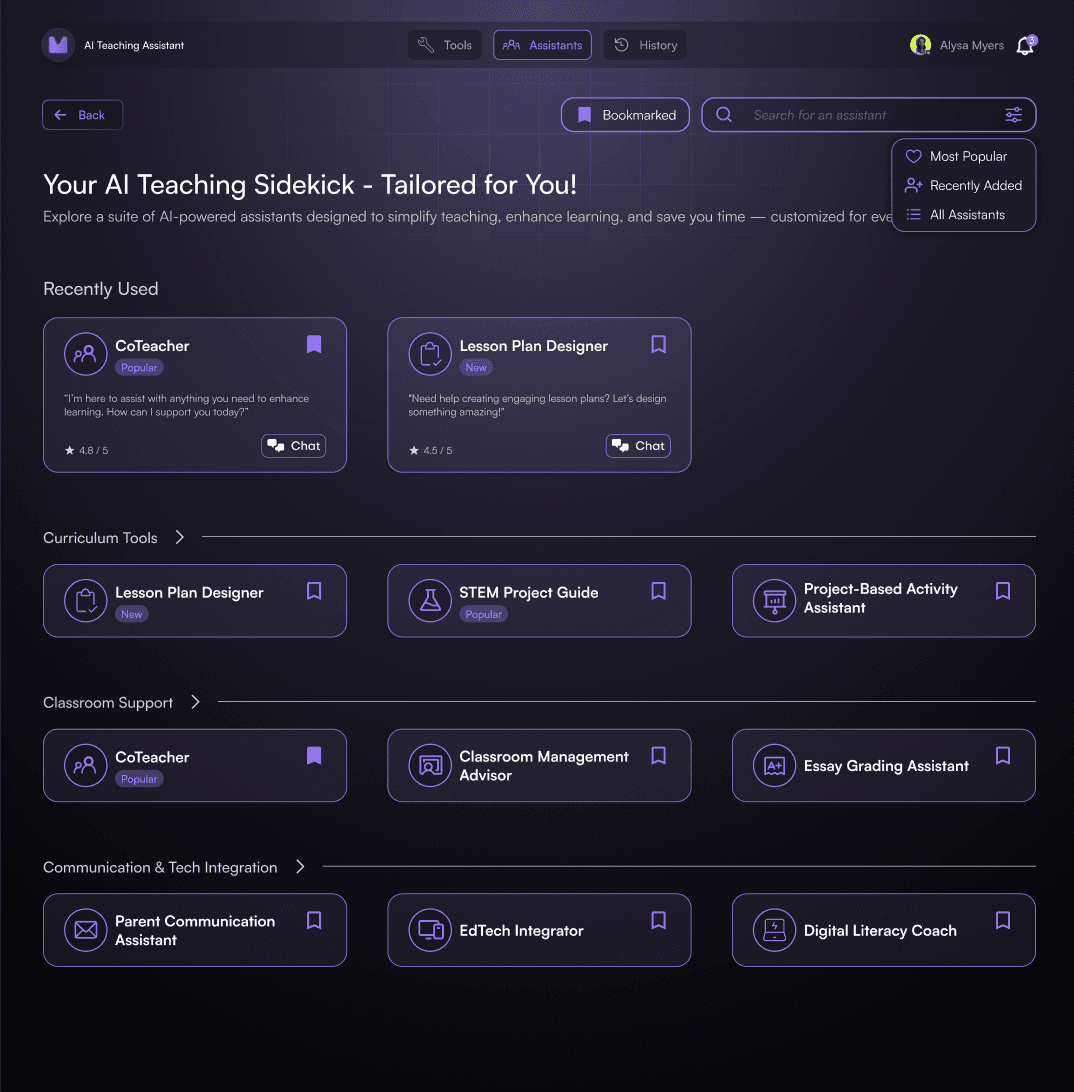
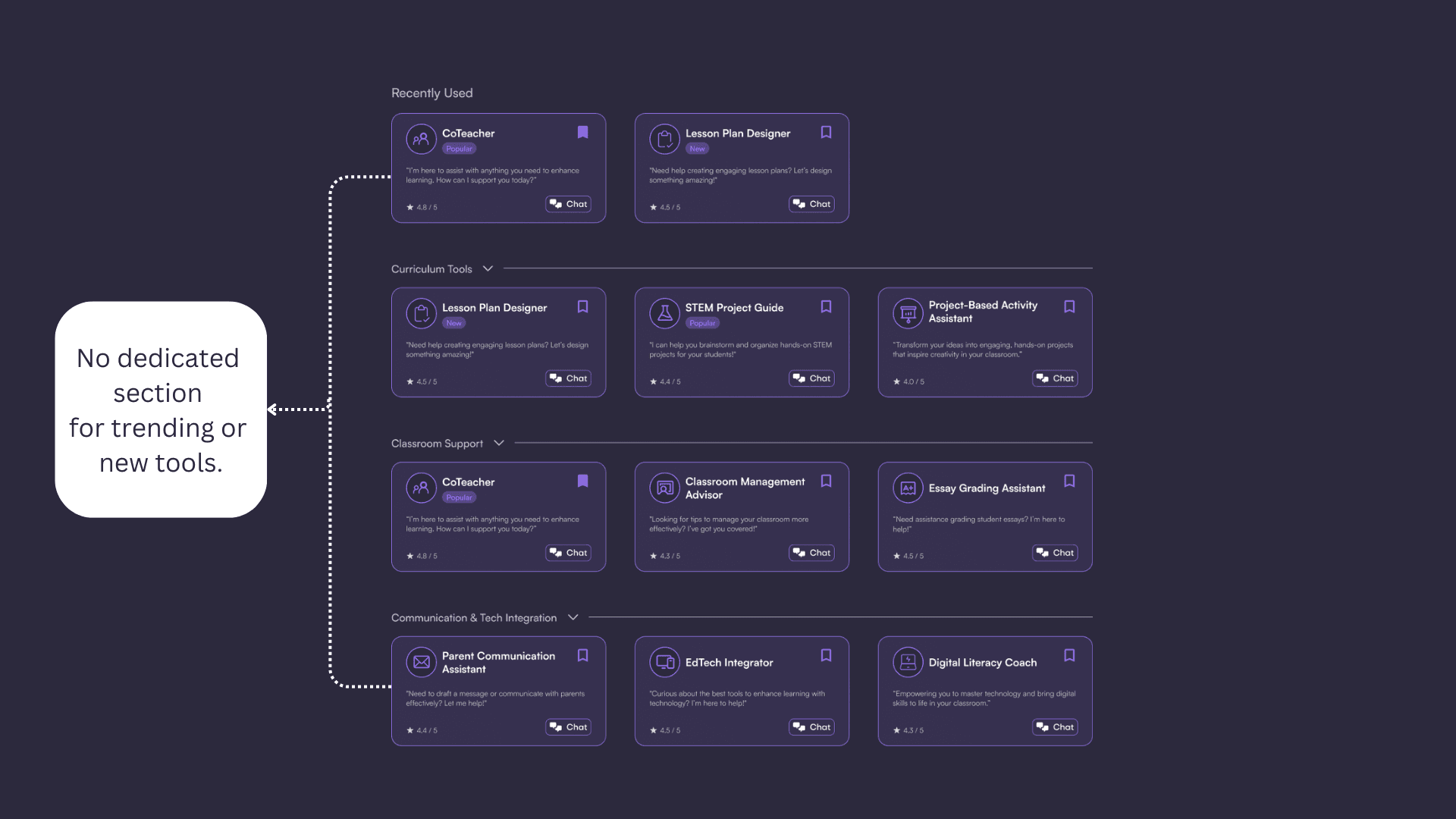
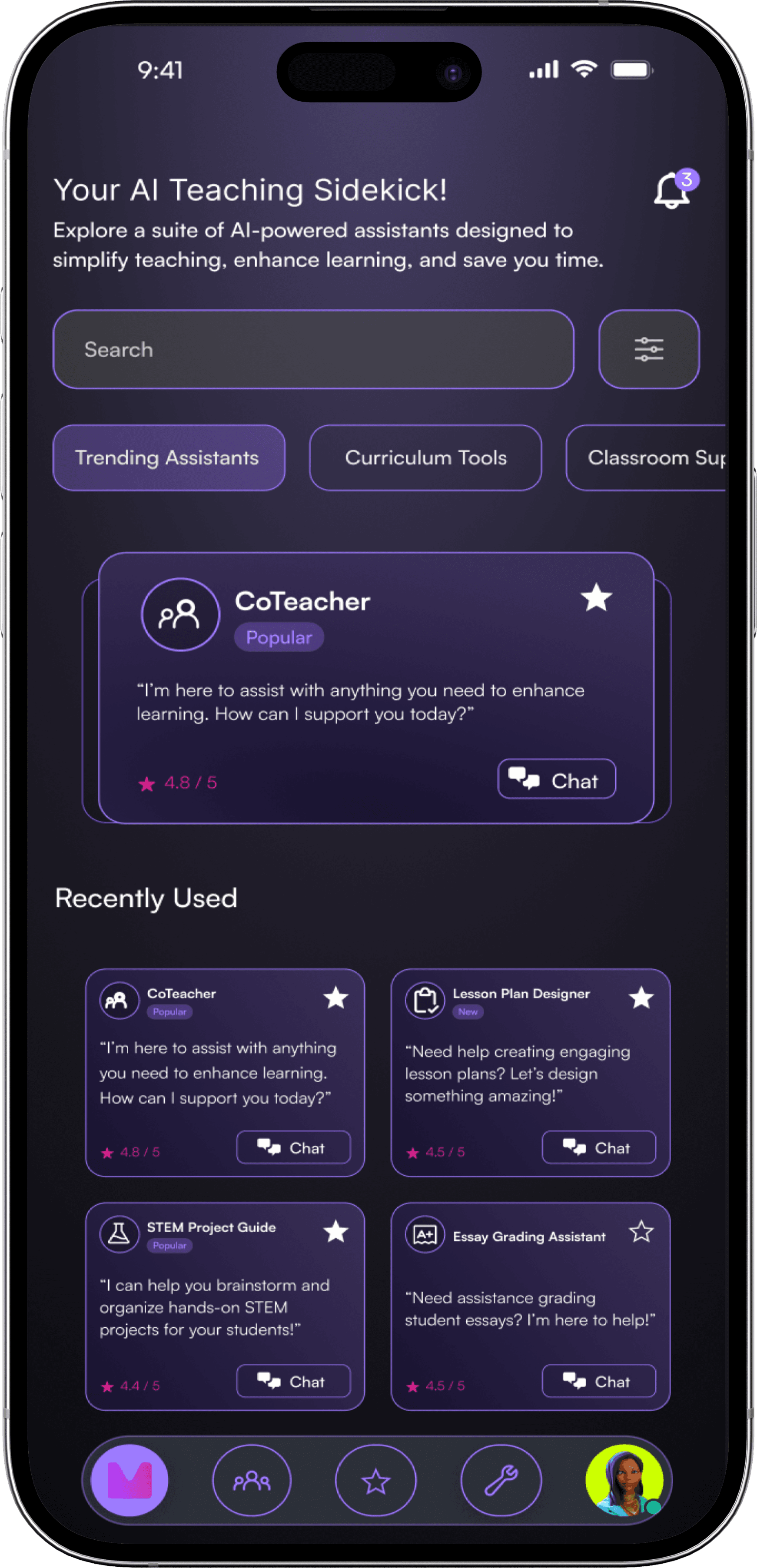
In my design, I wanted to reduce vertical scrolling and create clear sections for the varying assistants — mainly Trending, Favorites, and the categorical types of assistants. We consolidated our ideas together to create 2 versions.
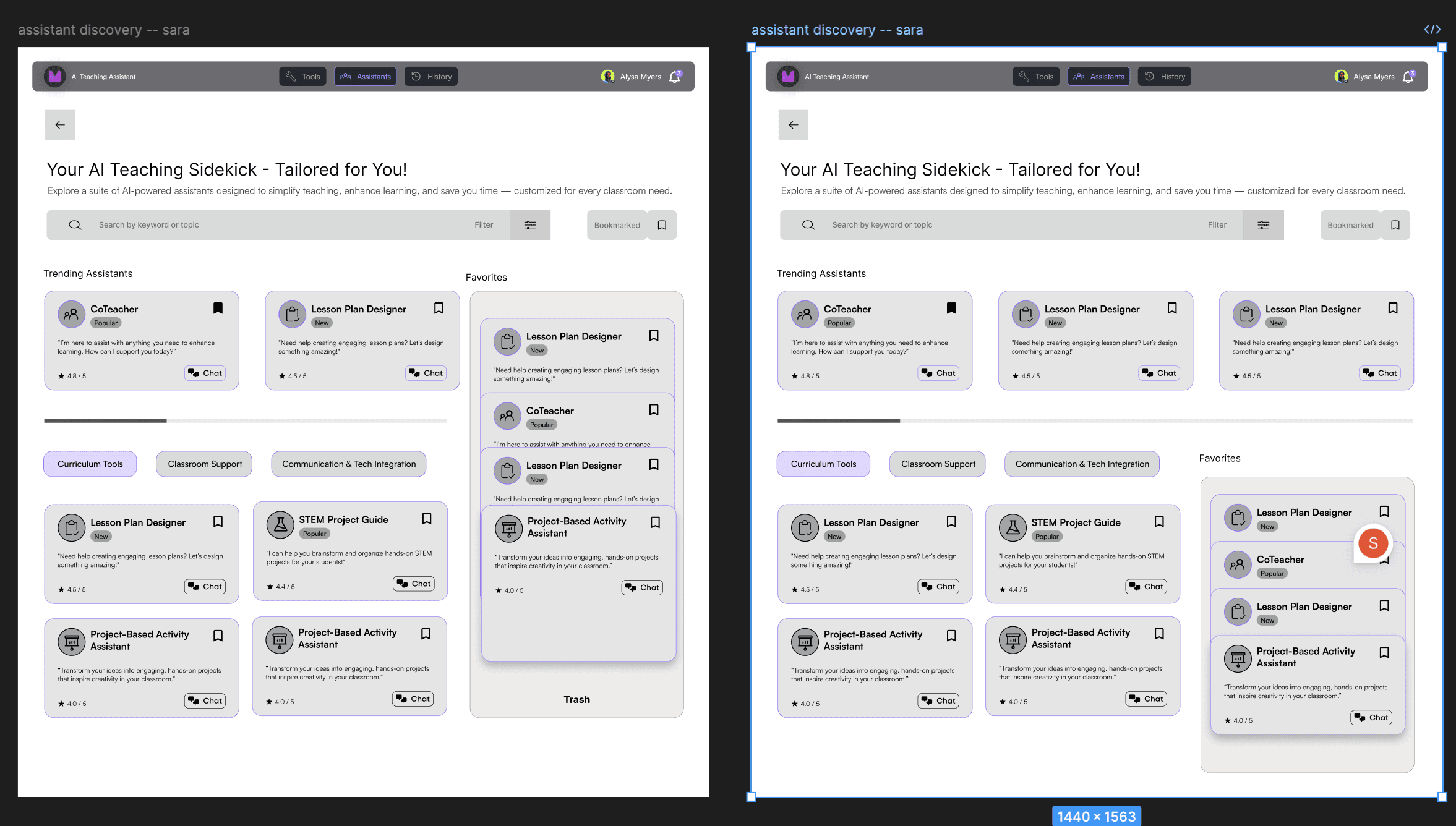
My personal wireframes
Using mid-fidelity prototypes, we conducted A/B testing with 4 stakeholders to determine effective design features such as: a sliding feature/carousel, effective filter buttons, drag & drop functionalities, and a trash button.
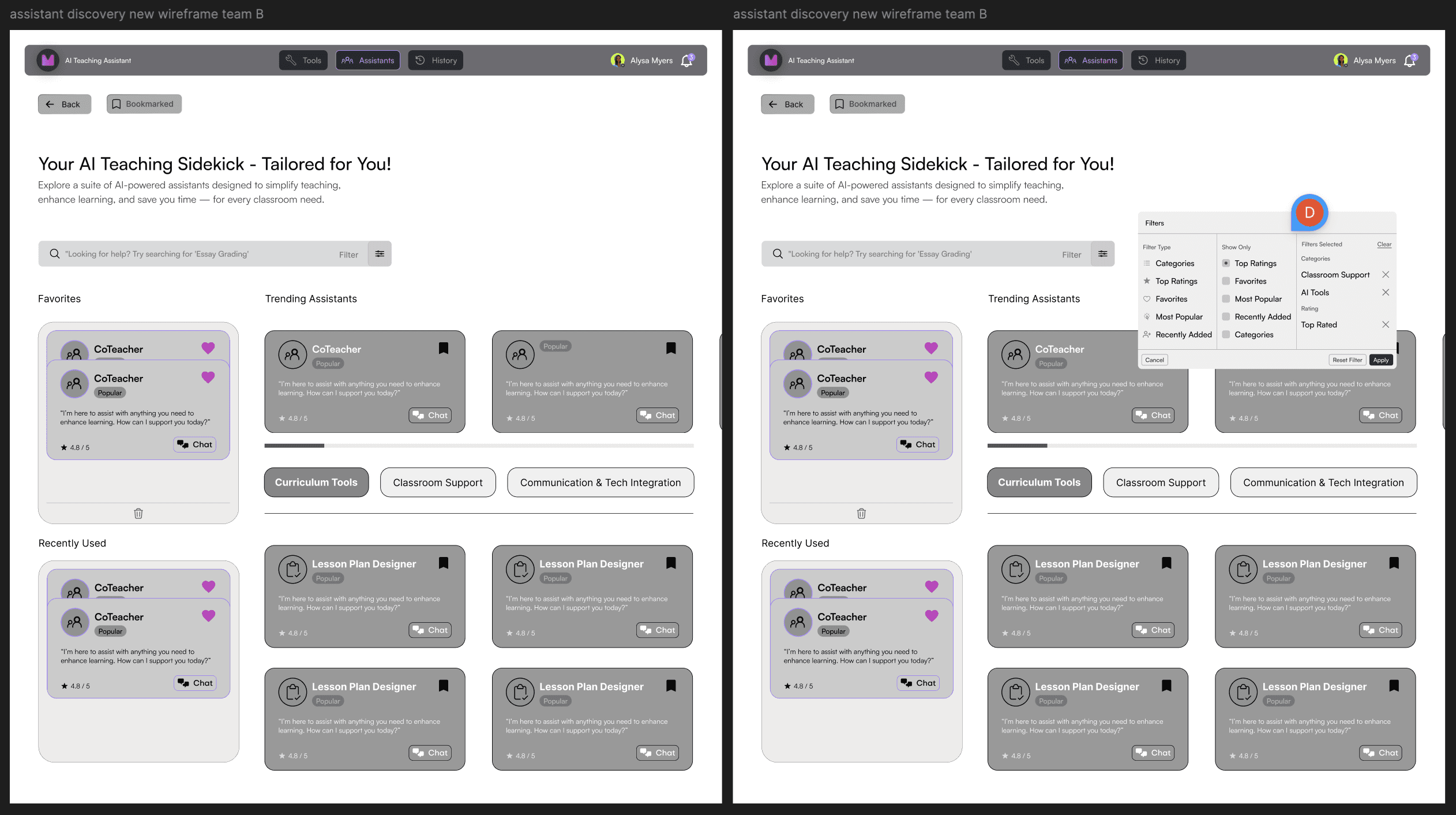
High Fidelity Wireframing
Key Design Decisions
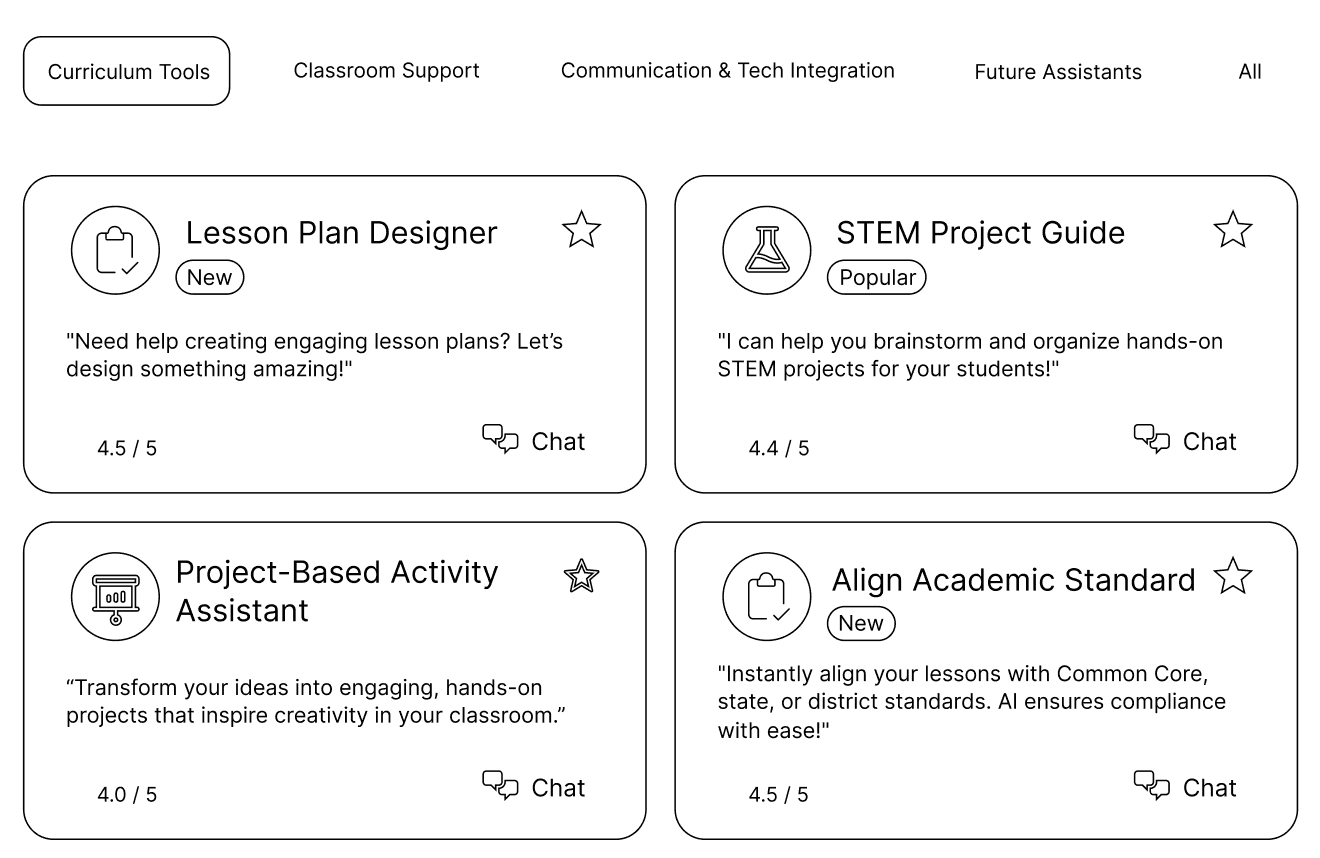
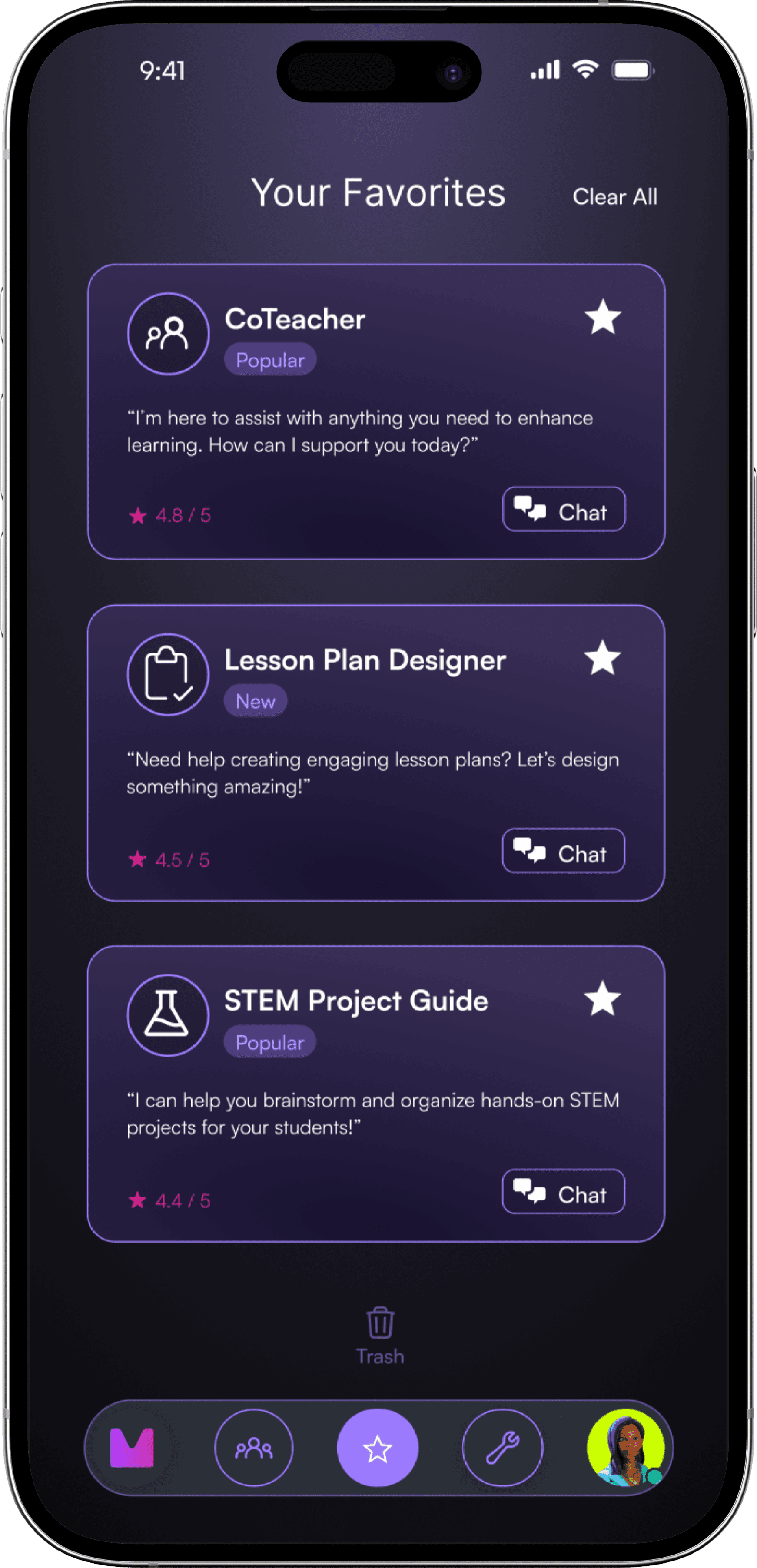
Design: We replaced the drag-and-drop functionality with a simple star button to click to bring to the favorites
Feedback: Consider frontend and backend constraints in populating trending assistants.
Design: Horizontal scrolling to enhance discovery with space constraints; opted for pre-computed trending data for smooth performance
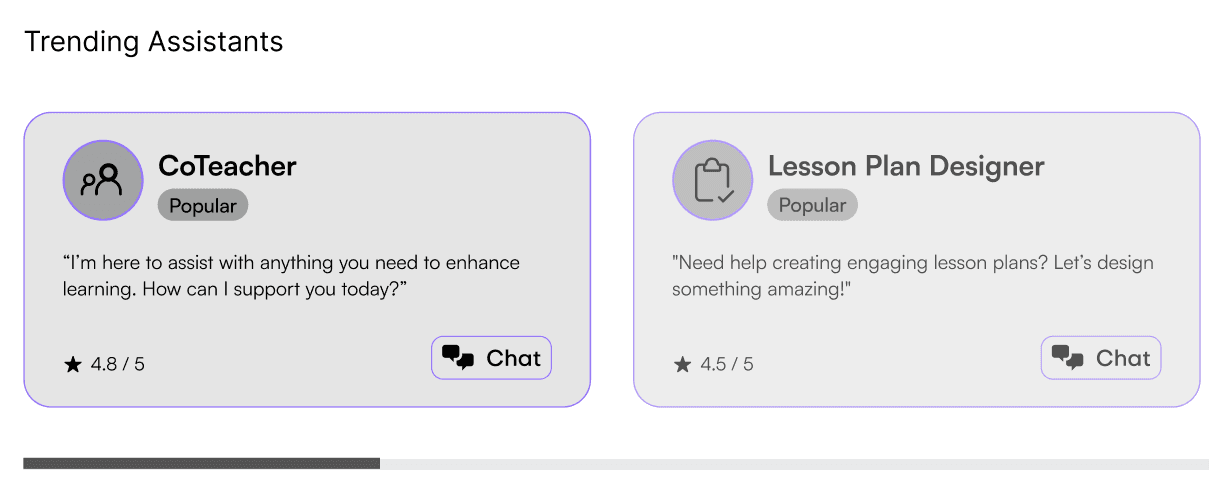
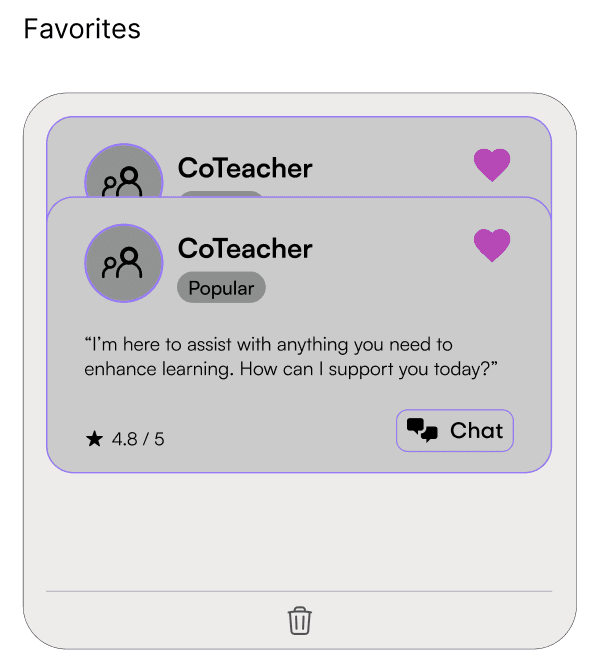
Feedback: Stacked elements can limit the information shown and the interactions can take more effort in a web environment.
Design: We experimented with sticky card layouts to maximize space and keeping interactions simple.
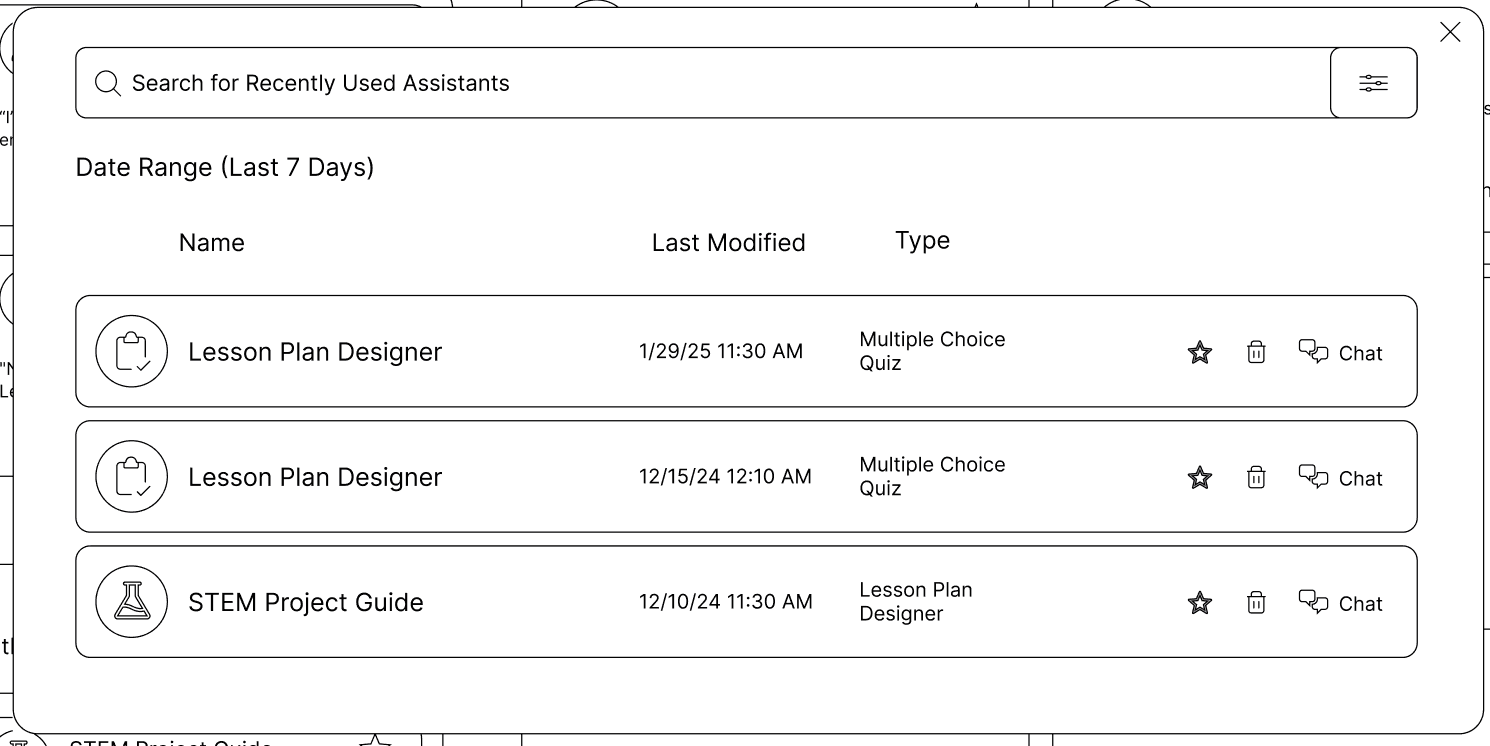
Feedback: Having a form of history or recently used highly beneficial for teachers who handle multiple classes or repeated queries.
Design: We created an expanded history paging with timestamps to browse their full history or revisit recent sessions.
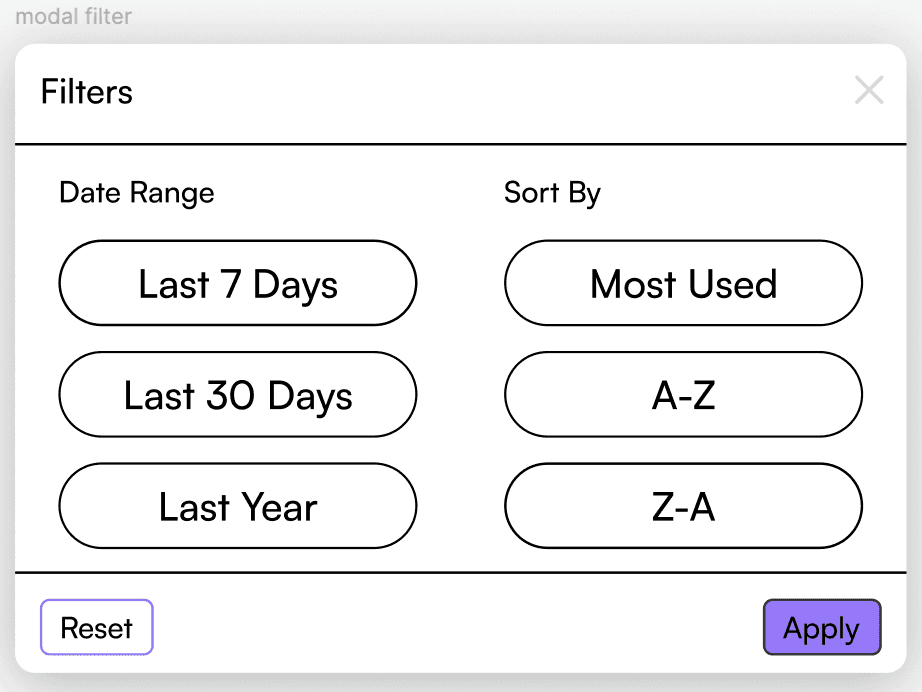
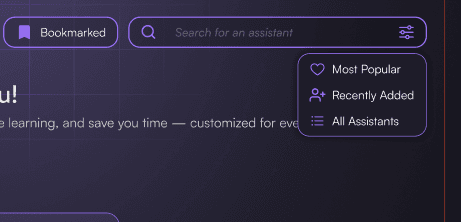
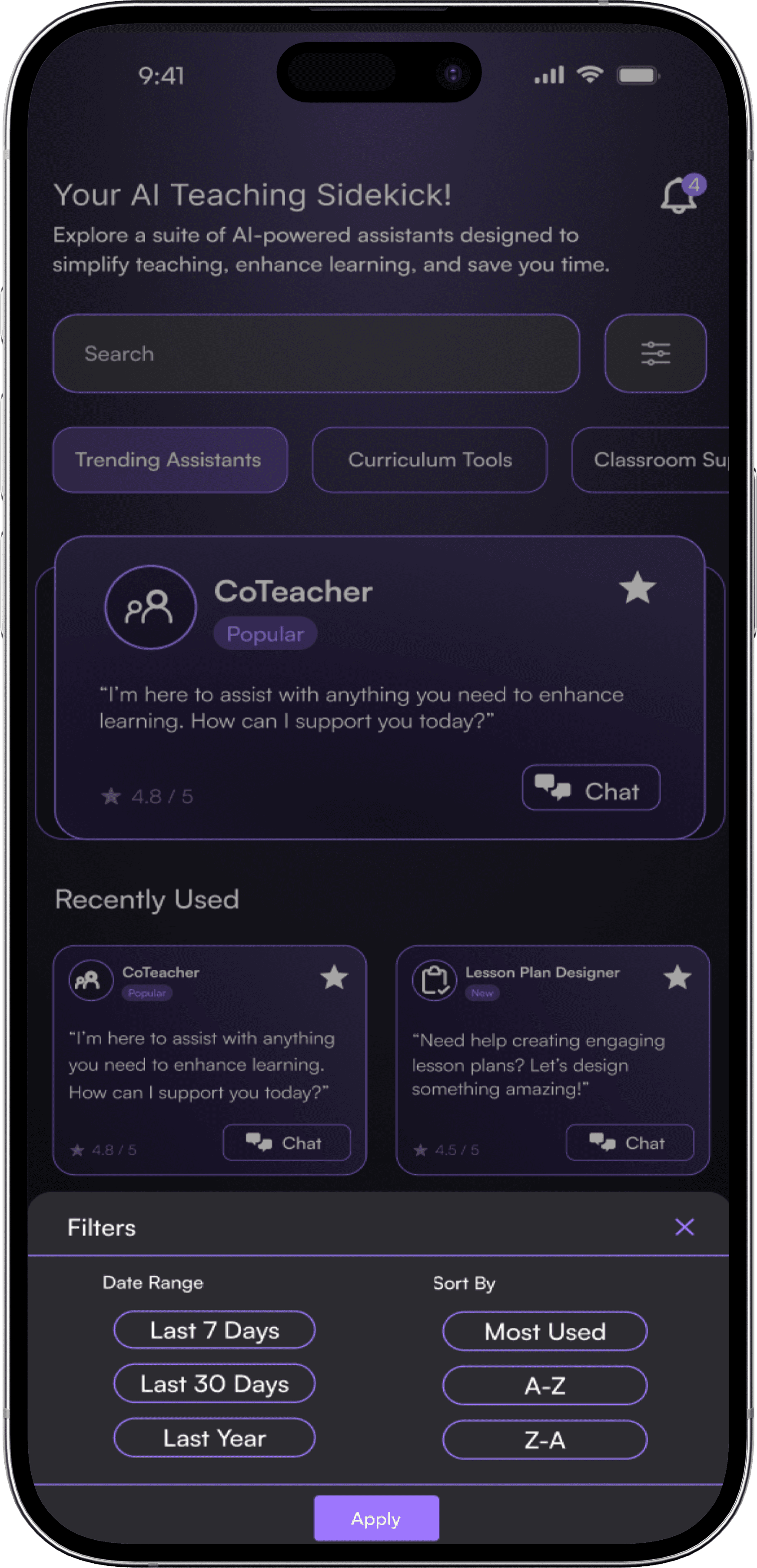
Feedback: With so many AI assistants, there needs to be a way to filter each search
Design: We created filter modals with different time stamps and basic sorting features to make the search easier.
We emphasized allowing the user to easily navigate the large number of AI assistants while enhancing engagement.
A Splash of Color Breathes Life
Reality AI Labs and Marvel AI already had an established style guide and design system, so we ensured that our mockups matched the color and typography standards.
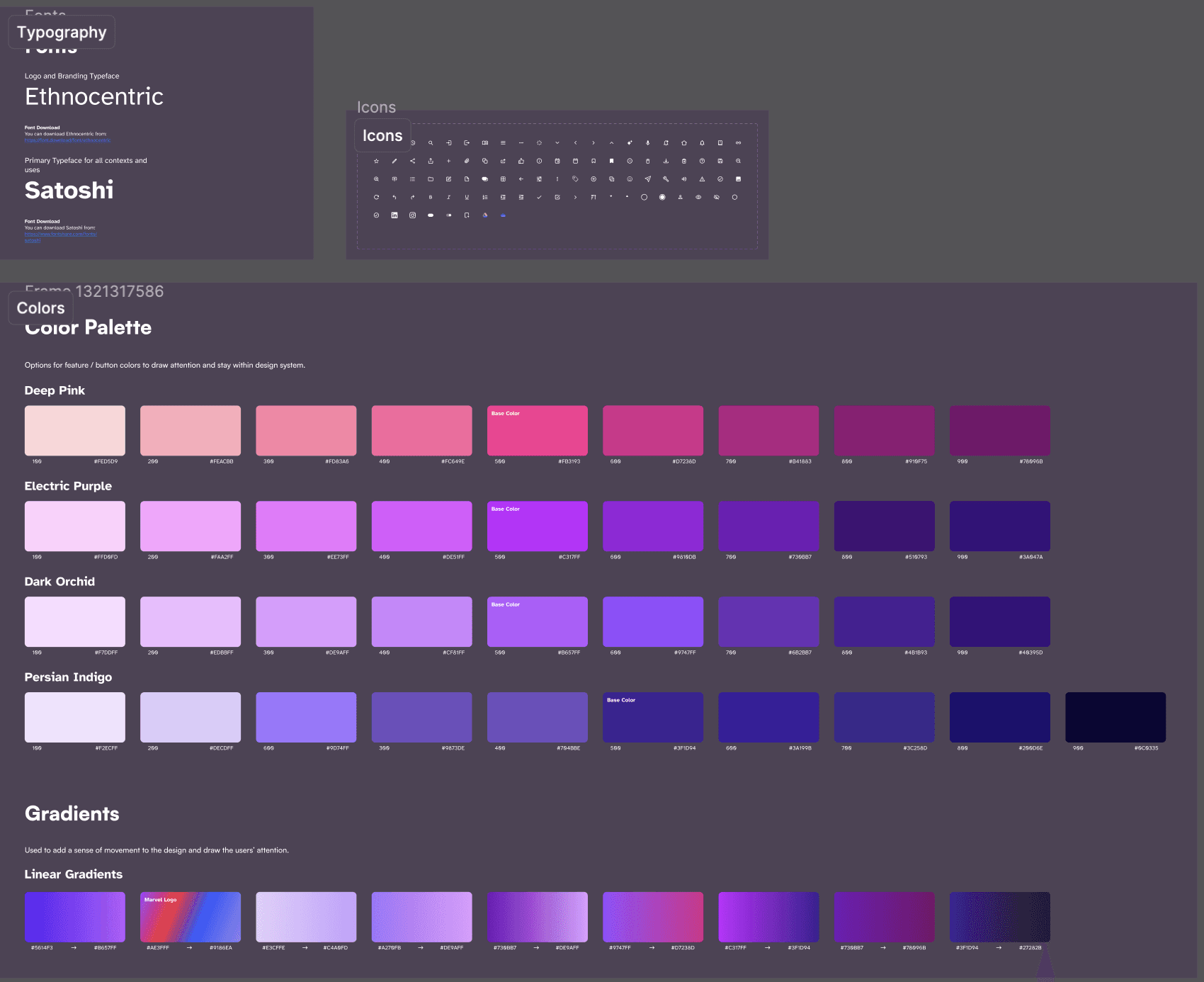
The design system gave our designs accessibility, scalability, and visual aesthetics. In following the design system, our updates achieved cohesion, intuitiveness, and scalability.
Connecting the arrows
I was responsible for finalizing the layouts of the prototype, creating reusable components for the list view, and creating the sticky card interactions.
Desktop Version Wireframes:
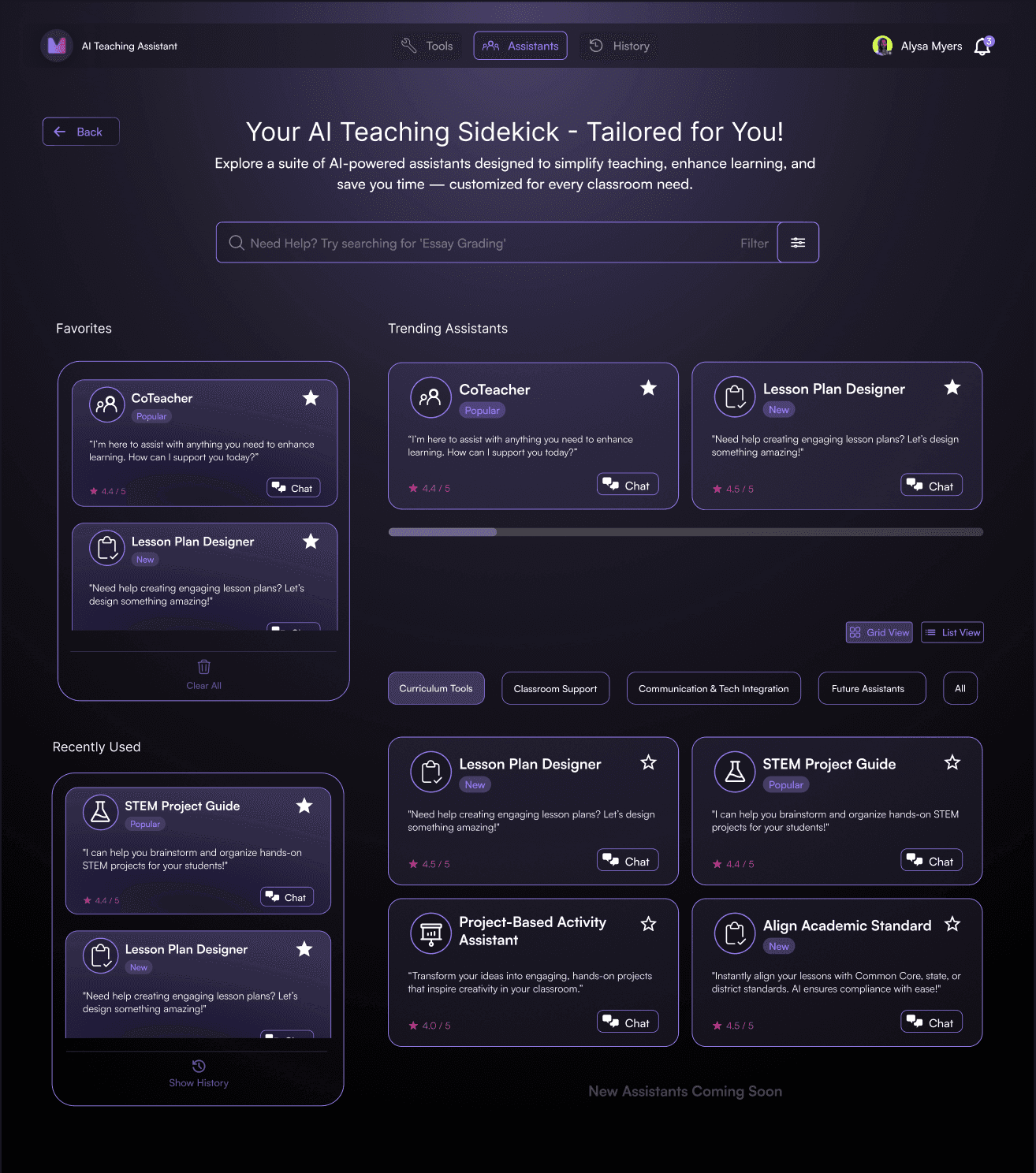
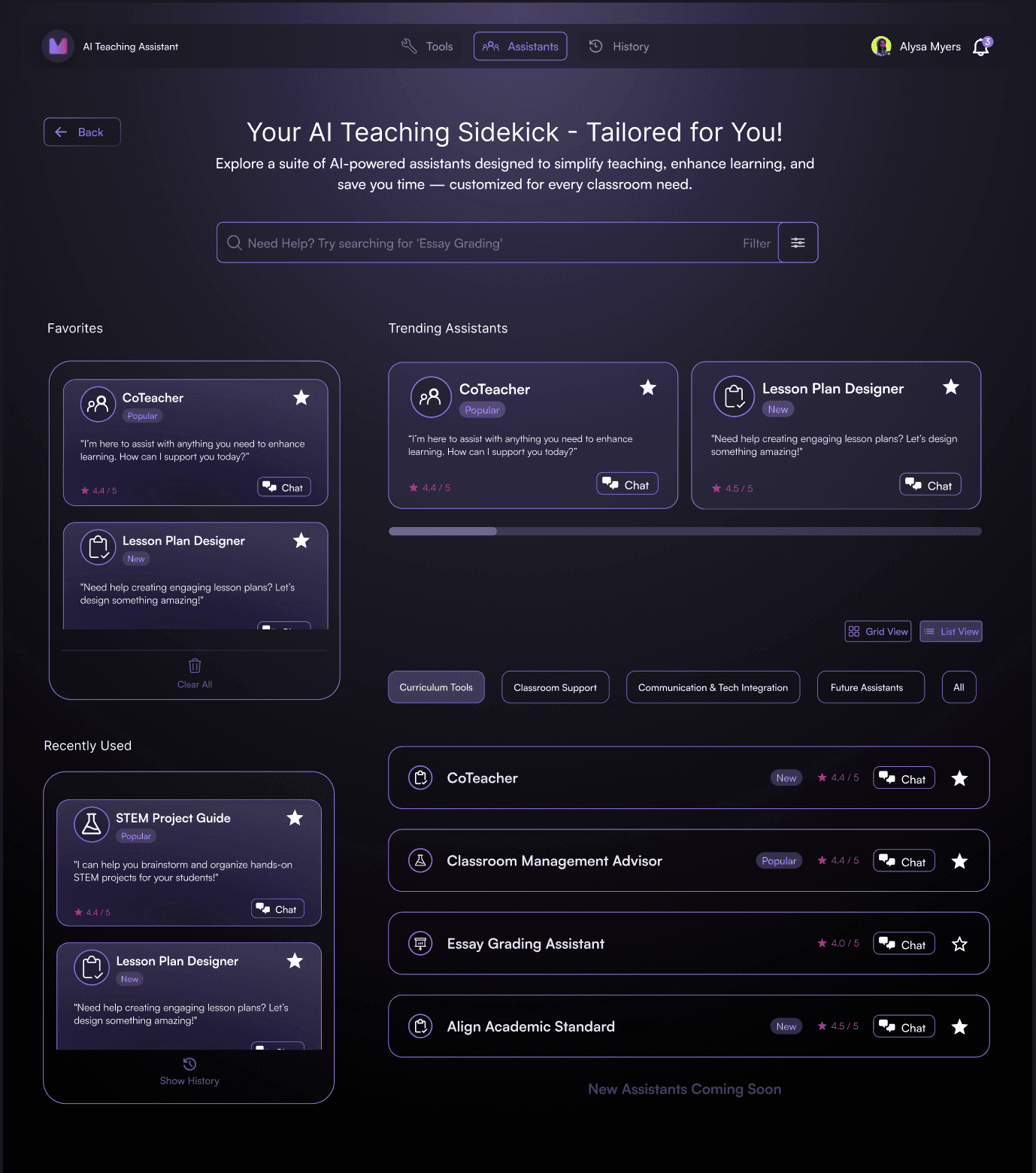
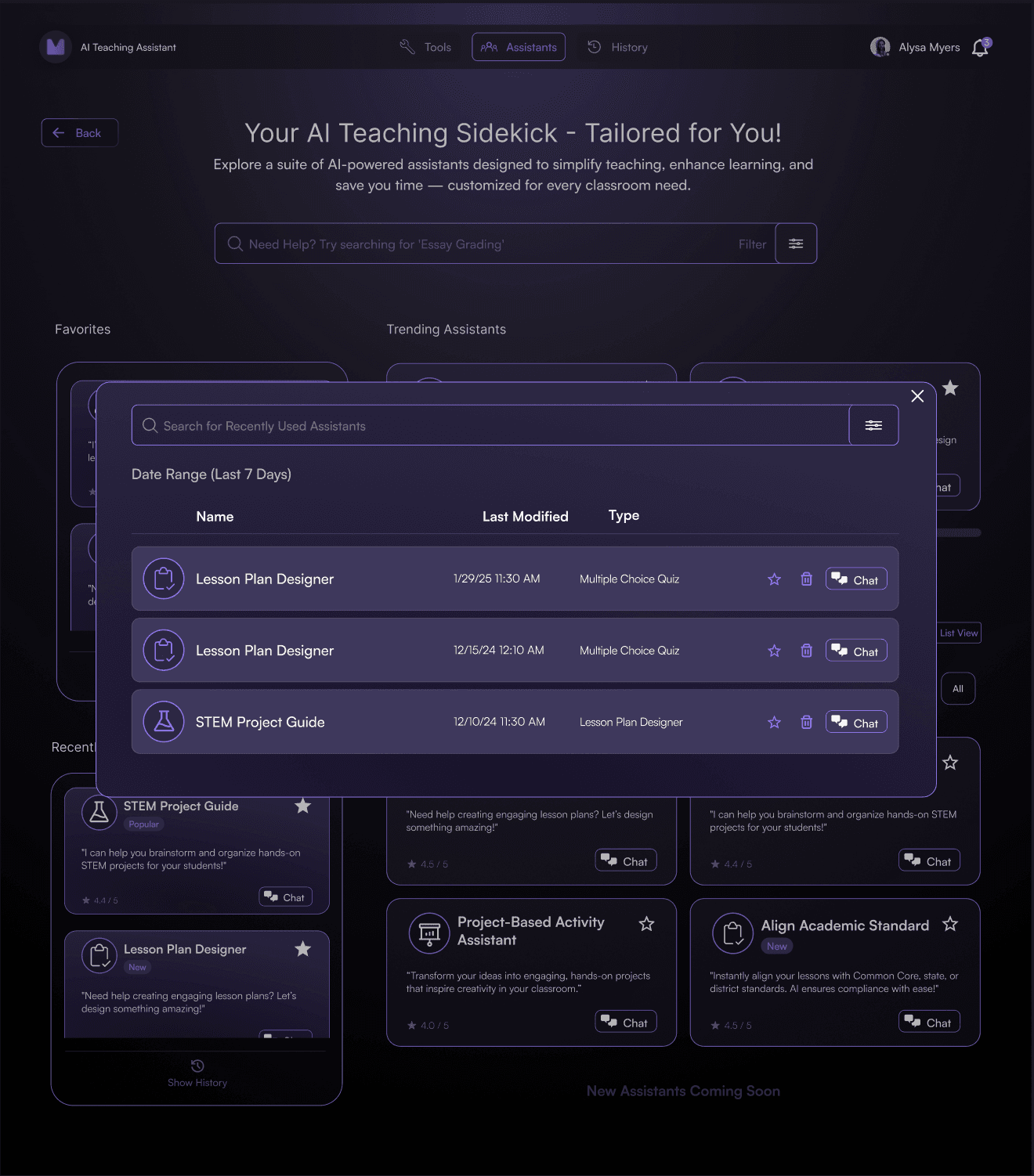
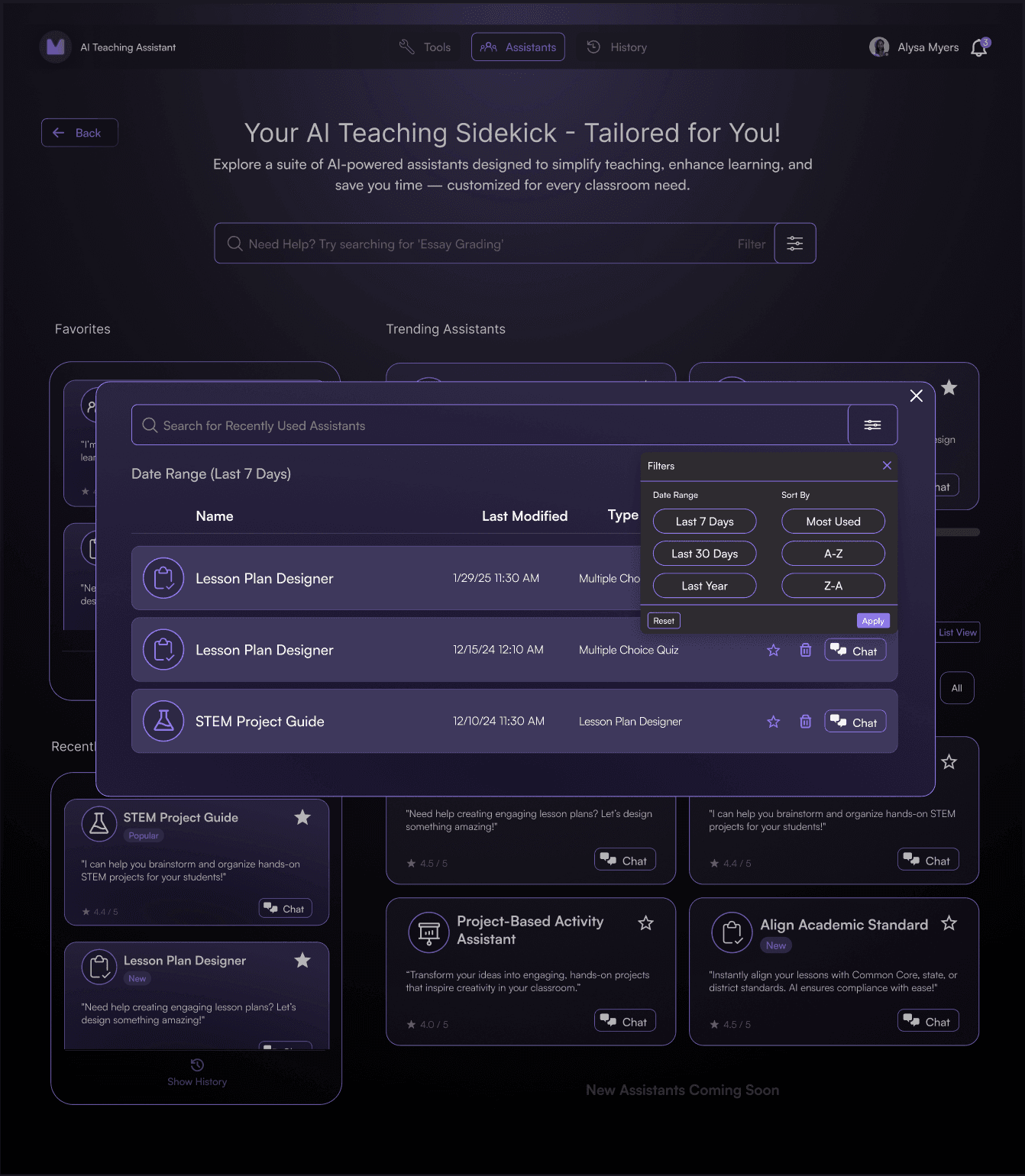
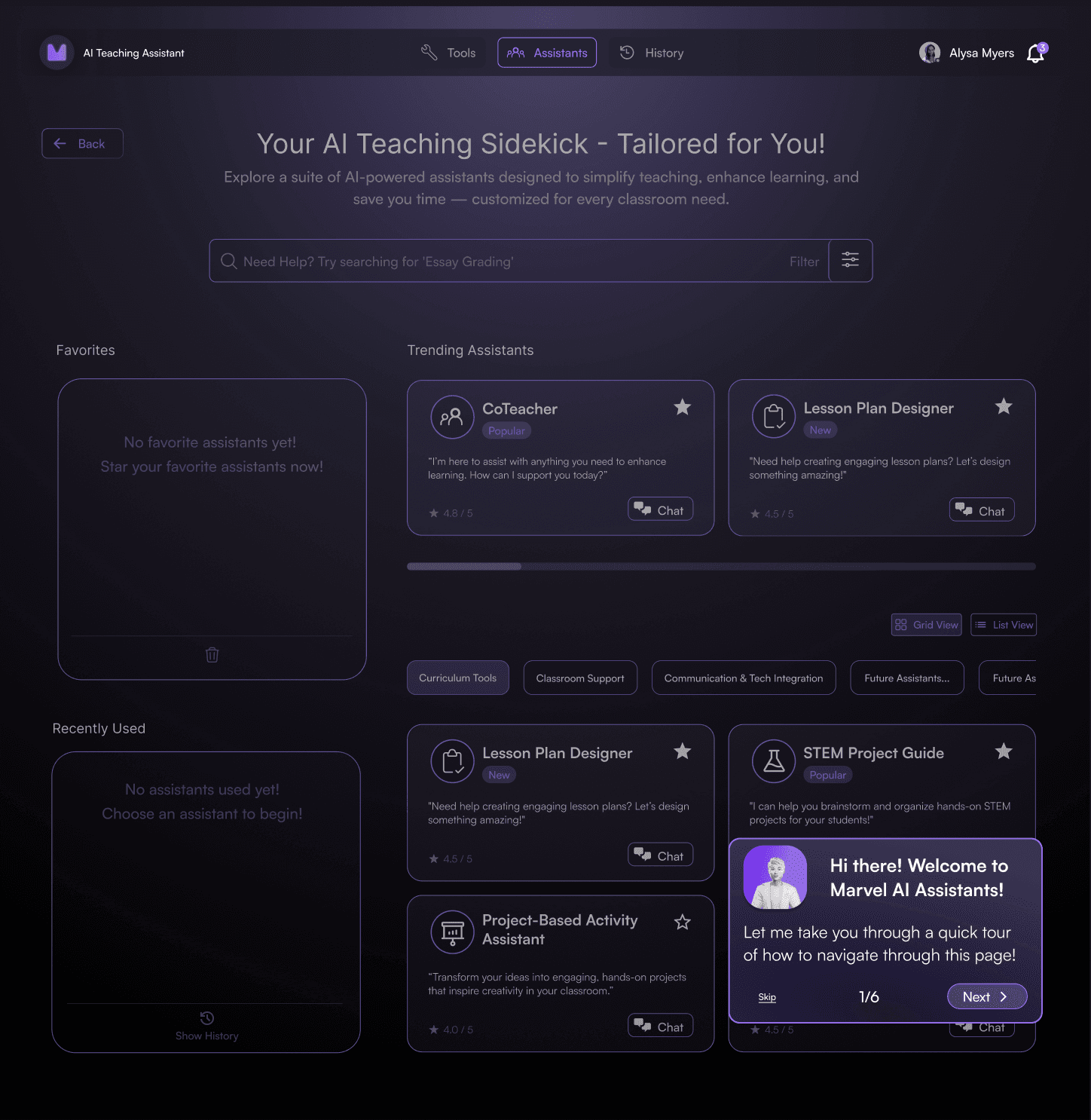
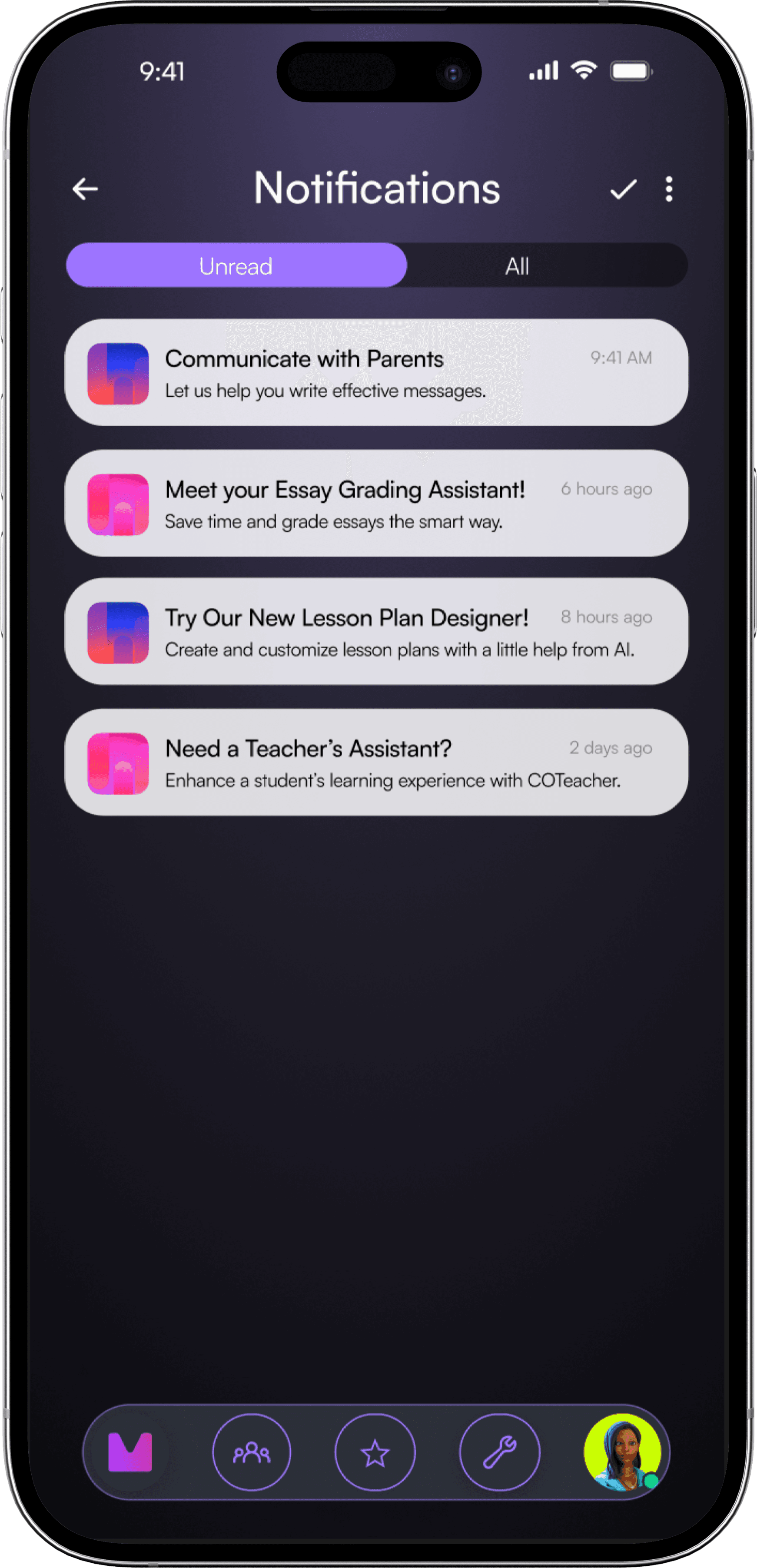
For mobile, the largest change was creating the Favorites and All Assistants sections into separate pages. We also used a carousel interaction for the Home page, and placed it at the top for visual hierarchy.
Mobile Version Wireframes:
Developer handoff
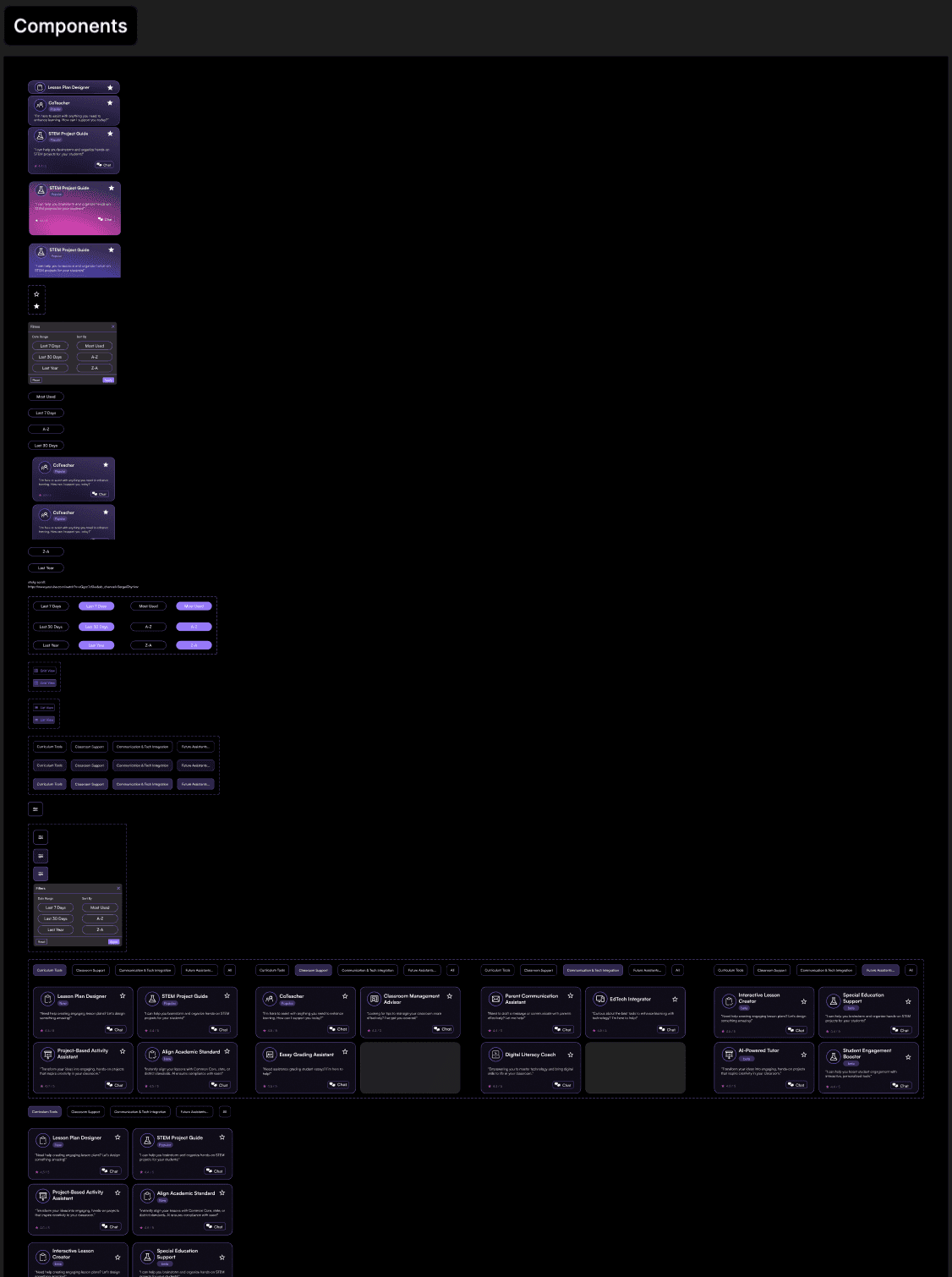
To make designs easily translatable, we created component guides, style measurements, and detailed annotations to minimize ambiguity.
Results
Key Insights
Summary of Results
3
Stakeholder Approval Sessions
50%
Fewer Total Navigation Steps
15+
Resuable Components Added to Design System
The next step is to actively test the product — with real teachers — to research HOW the product is being used, and how to better match the user. Then with the new research, the team must iterate further, while also communicating with developers and product.